2025/12/28(日)Tool to extract stats, etc. from TPDP SoD screenshots
(This tool is for the English version only. → Japanese ver.)
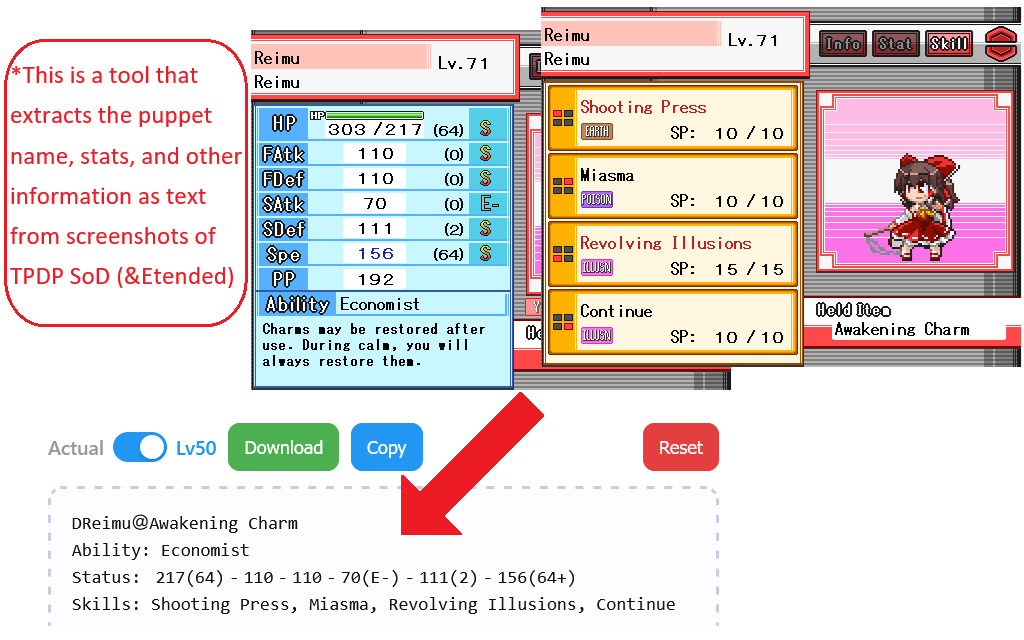
This is a tool that extracts the puppet name, stats, and other information as text from screenshots of "Touhou Puppet Dance Performance Shard of Dream" (Gensou Ningyou Enbu Yume no Kakera) and "Extended".
Please use it for party introductions, writing articles, and keeping records of parties you built or puppet builds.
Save a puppet's status screen image using the game's screenshot function (P key), then drag & drop that image into the dashed area in the tool itself.
For details, please read the usage instructions below.
- Tool
- Basic usage
- Other features
- Image loading specifications
- Output specifications
- Notes on the game-side specifications
- Update history
- Credit
Tool
Basic usage
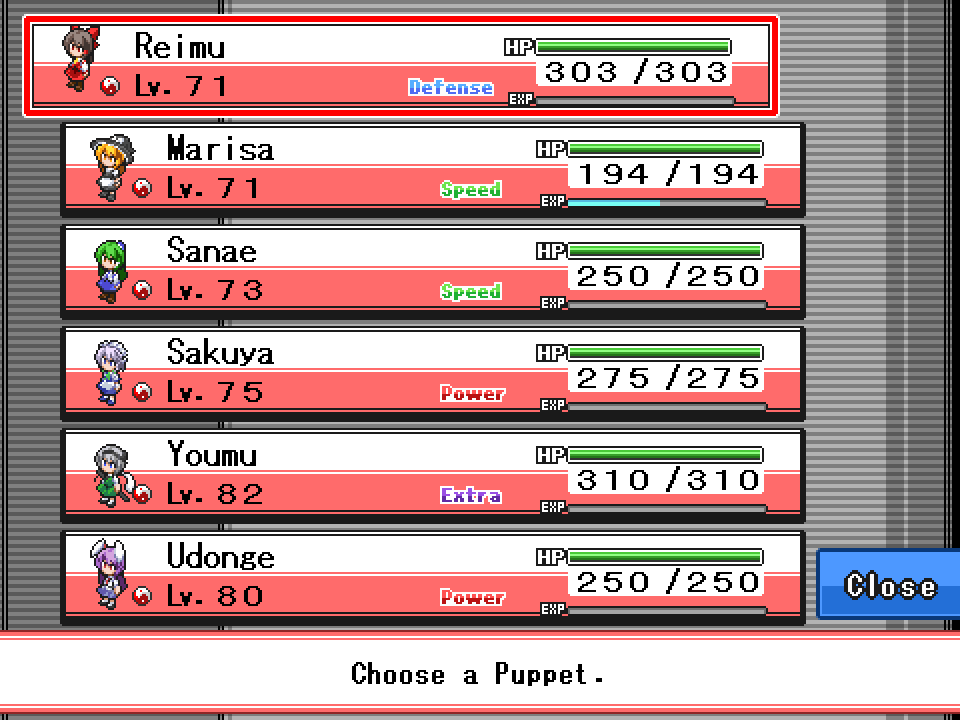
As an example, suppose you want to save the status information for a party like this.
1.
In TPDP, open a puppet's status screen and save a screenshot using the capture function (P key).
For one party, you take 2 images per puppet (stats screen ×1 + skills screen ×1), for a total of 12 images.
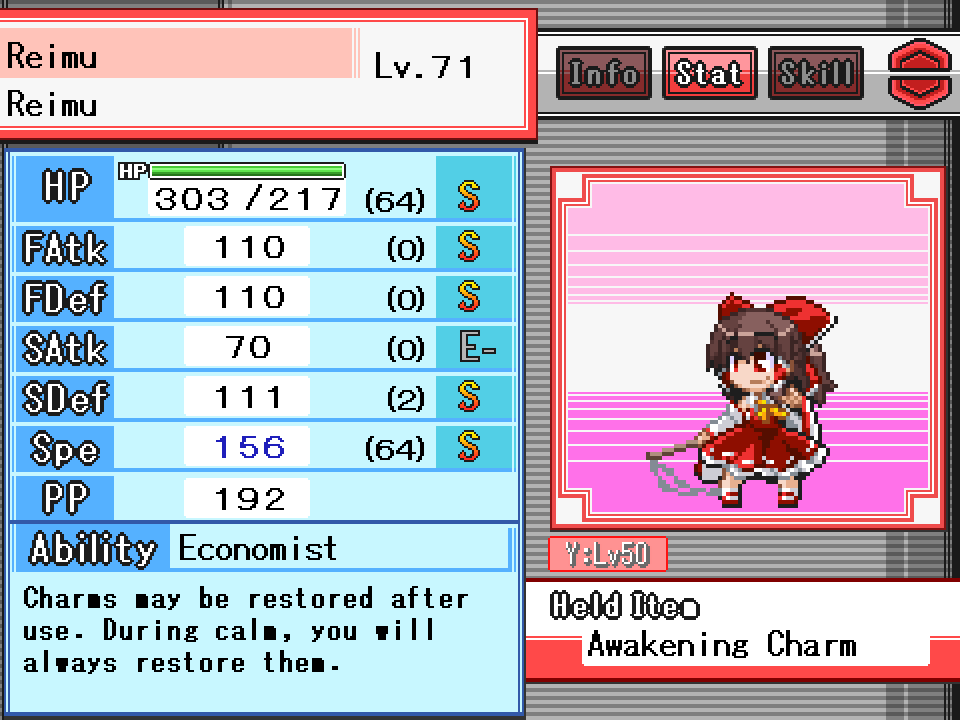
First: Puppet #1 stats screen
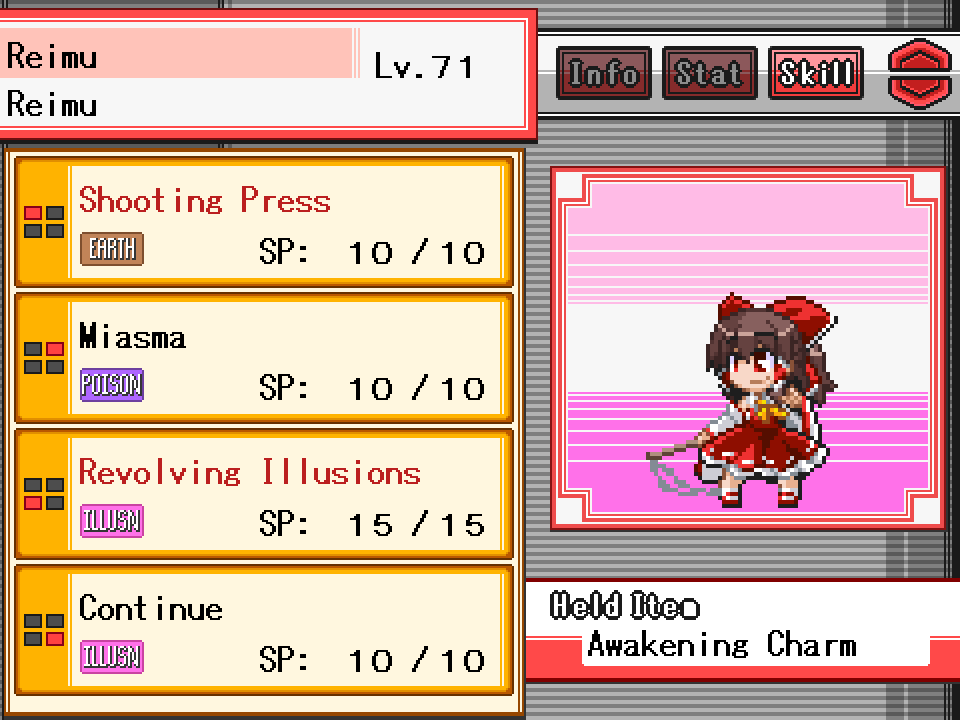
Next: Puppet #1 skills screen
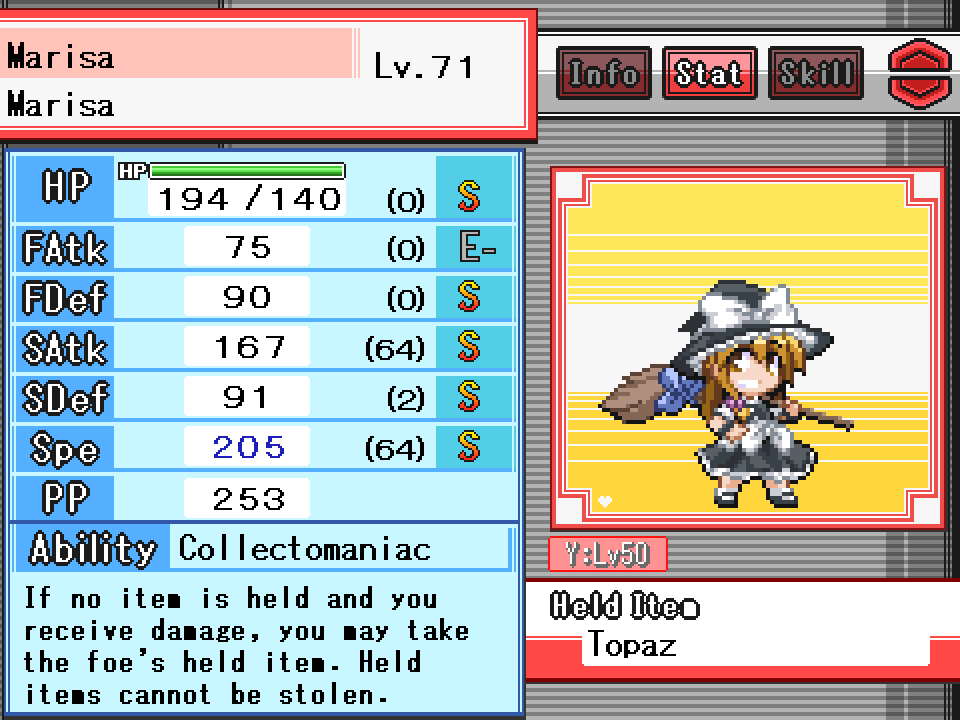
Next: Puppet #2 stats screen
…(repeat for all puppets in the party)
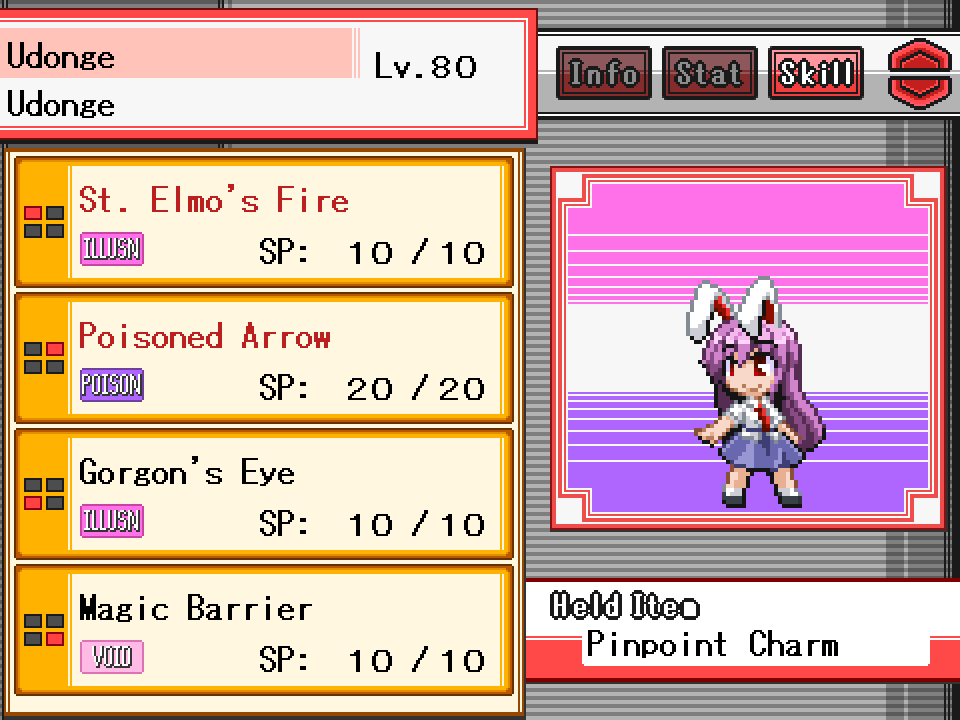
Finally: Puppet #6 skills screen
2.
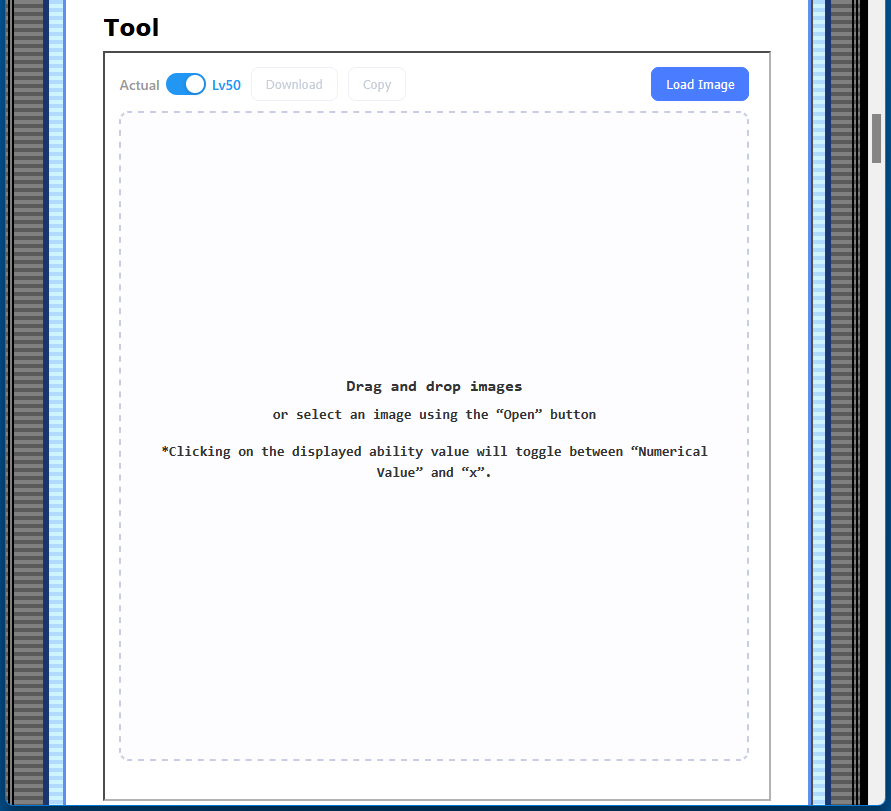
Open this tool in your browser and have it ready.
3.
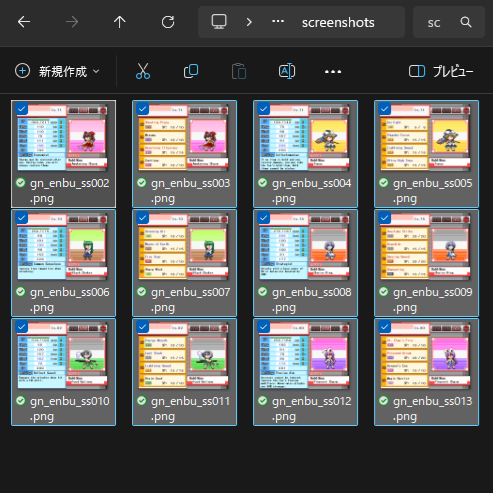
Open the folder where the screenshots were saved *1
, and select the 12 images you took.
4.
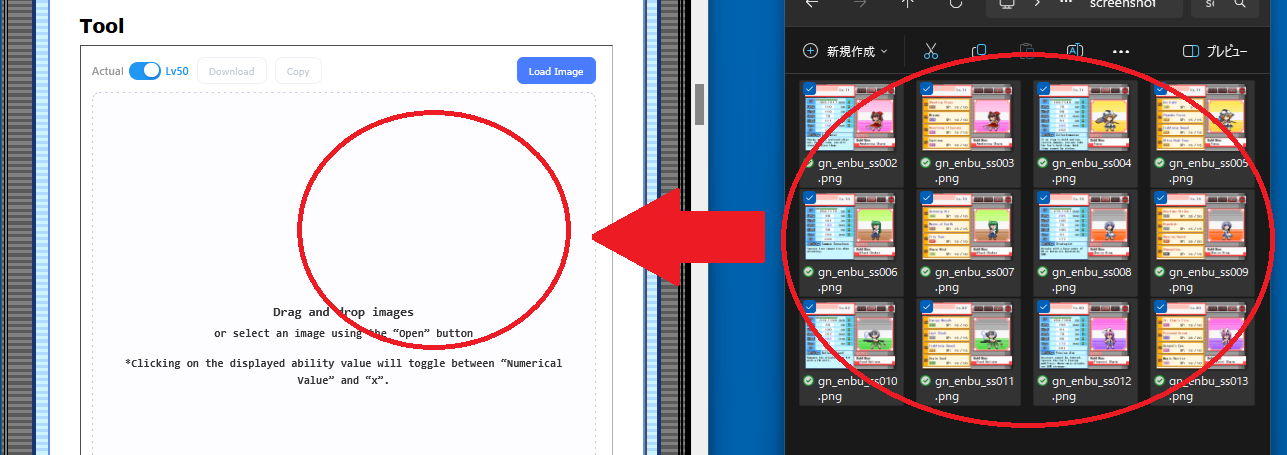
Drag the files and drop them inside the framed area of the tool.
5.
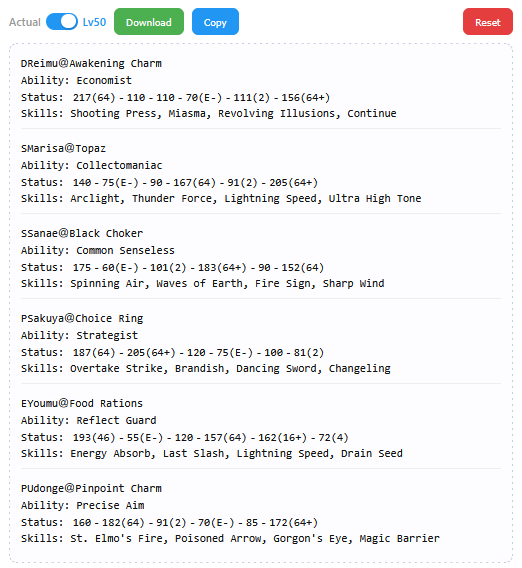
If they load correctly, the puppet names, stats, etc. from the images will be displayed as text.
6.
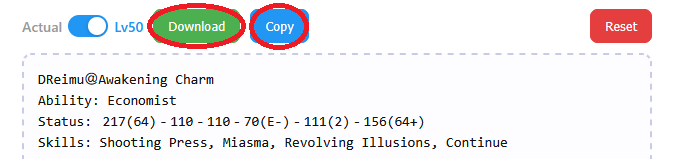
Press Download to save the displayed result as a text file.
Press Copy to copy it to your clipboard.
Other features
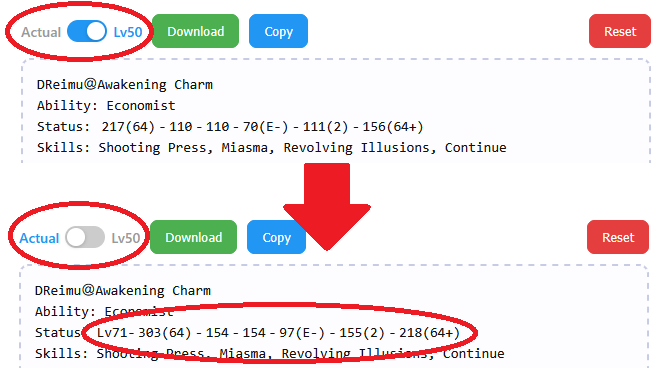
Lv50 toggle (top-left switch):
You can switch between stats as of Lv50 and stats at the actual level.
Default is Lv50 display.
In “actual level” mode, the actual level is added at the beginning of the stat line.
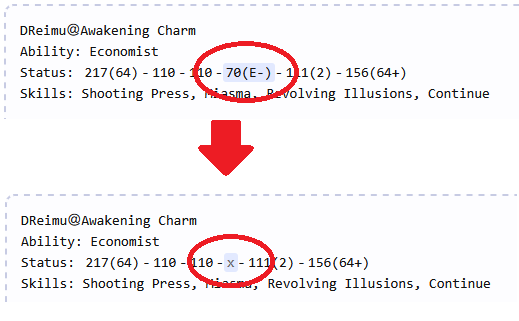
Click to mask values:
Clicking a displayed stat value lets you change that portion of the notation to “x”.
Click again to restore it.
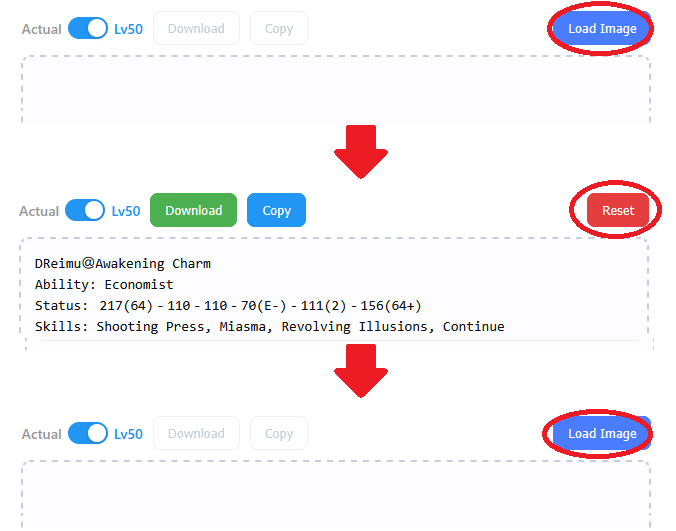
Load button (top-right):
In addition to drag & drop, you can load images via the Load button.
Once images are loaded, this button changes to Clear.
Press Reset to reset the text and revert the button back to Load.
Image loading specifications
The images you load are not collected by this site/tool.Only PNG images can be loaded.
Files that do not meet the conditions will display an error message.
(Any PNG image can technically be loaded, even if it's not from the game—but it won't be particularly meaningful.)
The tool is designed to load:
- Screenshots from TPDP SoD &Extended (stats screen and skills screen only)
- Images created by this site's tool: "演舞のスクショ結合してPT紹介画像作るツール(Tool to combine TPDP screenshots into a party introduction image)"
- TPDP SoD 1.103
- TPDP SoD Extended 4.0
You can load up to 12 images.
For screenshots, the tool automatically identifies stats pages vs. skills pages and searches for matching pairs.
Because the matching depends on commonly readable information (puppet name, attribute, accessory, level, etc.), it cannot make a correct determination if different individuals that "match on all those fields" are mixed in. This cannot be addressed by design.
Images created by the "演舞のスクショ結合してPT紹介画像作るツール(Tool to combine TPDP screenshots into a party introduction image)" on this site may not have a consistent size (depending on presence/absence of borders, number of images combined, etc.), so they may not load correctly.
Due to the effort required, the author cannot validate every possible case, and cannot provide support for such errors.
Even if the images are in the correct format, if the total information exceeds what fits for 6 puppets, the tool will not display information for the 7th and beyond.
Output specifications
If you load only a single screenshot, the tool outputs only the information it can read from that one image.Unknown parts are left blank or shown with a "?" mark.
The "mark" is represented as a single "+" inside the parentheses in the stat notation.
Stats are output in the following format:
[Actual value]([PP][Mark][Stat Rank])
Values inside the parentheses are automatically omitted (not shown) under these conditions:
- PP: value is 0
- Mark: not applied
- Stat Rank: value is S
Notes on the game-side specifications
The number of screenshots the game can save is limited to 512.You can save up to 512 screenshots in Fantasy Doll Performance.
They are saved as:
gn_enbu_ss000.png through gn_enbu_ss511.png
If you try to take more than that, they will not be saved.
For example:
If your screenshots folder currently goes up to gn_enbu_ss499.png, you can still take 12 more shots (up to 511).
If it already goes up to gn_enbu_ss500.png, you only have room for 11 more.
If you feel like your captured images are “missing,” try remembering this limit.
Update history
2025.12.23- Released
Credit
幻想人形演舞(Gensou Ningyou Enbu) and 幻想人形演舞-ユメノカケラ-(Gensou Ningyou Enbu Yume no Kakera) are copyrighted works by the doujin circle FocasLens / 幻想人形劇団(Gensou Ningyou Gekidan), and are a derivative work of the Touhou Project."Touhou Puppet Dance Performance" and "Touhou Puppet Dance Performance: Shard of Dreams" are
an unofficial English title that refers to the above.
Touhou Puppet Dance Performance Shard of Dream Exntended is an unofficial expansion patch created by Barudo(&his team).
This tool is an unofficial creation by くしち (Kushichi) (individual).
Please do not contact FocasLens, Gensou Ningyou Gekidan, or Barudo(&his team) about this tool, as it will cause inconvenience.